

Your phone buzzes: "iCloud storage is almost full." Again. You pay €2.99 a month, then €9.99, and somehow you're still deleting photos of your own kids to make room for the next iOS update. I know that notification well. Two years ago I cancelled every cloud subscription I had and rebuilt my photo archive from scratch, and the setup I ended up with costs me nothing per month and holds about 1.4 TB of photos and video.
Here's what I learned about the best ways to back up your photos without using a cloud subscription: the local route is cheaper, safer and faster than most people assume, but only if you stop treating it as "copy the folder somewhere and forget it."
Key takeaways
- A single external drive is not a backup. Two copies, in two places, is the minimum.
- For most people, a 2 TB SSD plus an off-site copy beats five years of cloud fees.
- Getting photos off your phone without iCloud or Google Photos takes ten minutes with a cable.
- Rotate and verify your drives. An unread backup is a rumour, not a backup.
- Free cloud tiers are useful as a third copy, never as your main archive.
Why ditching the cloud subscription is worth the hassle
A quick bit of arithmetic. If you're paying around €10 a month for extra storage — the tier most people land on once a phone fills up — that's roughly €600 over five years. For that money you can buy a 2 TB portable SSD, a second 2 TB drive for off-site storage, and still have change for a decent card reader.
The cost argument isn't even the interesting one. The reason I moved is control: I know exactly where my files live, I can open them without an internet connection, and no company can change my storage tier, migrate my library or shut a service down and leave me scrambling.
The threshold where local becomes cheaper
Below roughly 100 GB, a subscription is honestly fine and I won't pretend otherwise. Above that, the maths flip fast. Someone with 500 GB of photos and video pays for the mid-tier plan indefinitely; a 1 TB external SSD costs about the same as ten months of that plan and lasts years. That crossover point — somewhere around the 200–300 GB mark for most families — is where local storage stops being a hobby and starts being the sensible default.
The 3-2-1 rule, actually implemented
You've probably read that you need three copies of your data, on two different types of media, with one copy off-site. It's good advice and almost everyone repeats it without explaining how to run it.
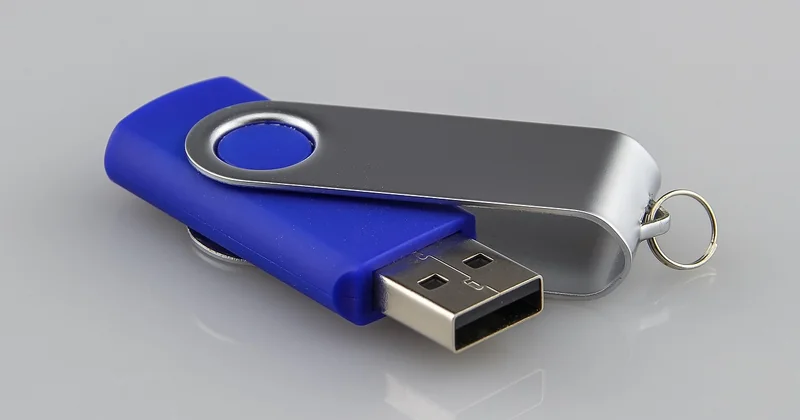
Here's how I run it, concretely:
- Copy one: a working drive connected to my laptop, holding the full library, updated monthly.
- Copy two: a second drive kept in a drawer at home, cloned from the first at the same time.
- Copy three: a third drive that lives at my brother's flat, swapped every few months.
The third copy is the one people skip, and it's the one that matters. Fire, theft and flooding don't care how many drives you own if they're all in the same room.
Rotation and integrity checks
Spinning drives fail quietly. So do SSDs, just less often. My rule: every quarter, I run a checksum comparison across copies — a free tool like ExactFile or a simple command-line hash will do it — and once a year I restore a random folder from each drive to confirm the files actually open. The year I skipped this, I discovered a drive that had been copying zero-byte files for four months. Nobody warns you about that.
How to back up photos without using iCloud
Unplug the cloud from the equation first, or it will keep re-uploading everything you delete. On iPhone, go to Settings, tap your name, then iCloud, then Photos, and switch off iCloud Photos. On Android, open Google Photos, go to Settings, then Backup, and turn sync off.
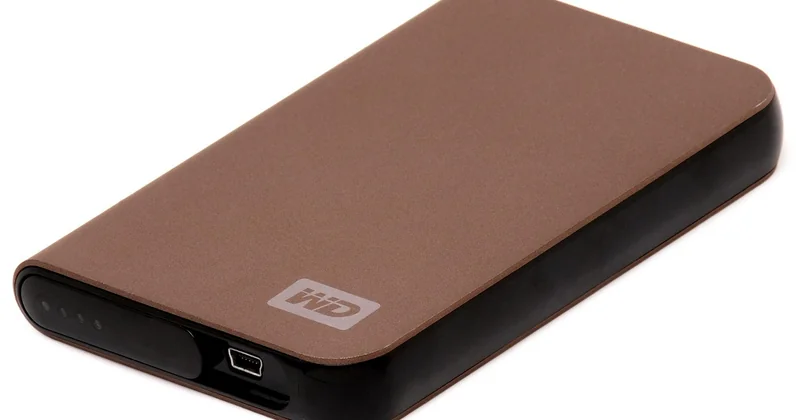
Then move the files by cable:
- Connect the phone to a computer with a USB cable.
- On iPhone, unlock the phone and tap "Trust" when prompted. On Android, choose "File transfer" mode.
- Open the phone's storage in your file manager and copy the DCIM folder to your working drive.
- Verify the photo count matches before formatting or deleting anything on the phone.
For wireless transfers on the same network, LocalSend and Syncthing both work without routing anything through a server. Syncthing is the one I use — it syncs my phone's camera folder to my laptop automatically whenever I'm on home Wi-Fi, which means the cable only comes out for the big quarterly cleanup.
Comparing your non-cloud options
Not every local setup suits every person. Here's the honest comparison, costs approximate and based on what I paid for my own gear.
| Option | Upfront cost | Ongoing cost | Best for |
|---|---|---|---|
| Portable SSD (2 TB) | ~€120–160 | None | Most people; fast, pocketable, simple |
| External HDD (4 TB) | ~€90–120 | None | Large video archives; slower, more fragile |
| Two-bay NAS | ~€300 plus drives | Electricity | Households with several devices; automatic network backups |
| Blu-ray archival discs | ~€50 for a burner and a stack of discs | None | Cold long-term storage of finished edits |
| Free cloud tier as a third copy | Free | None | Small set of irreplaceable favourites only |
What is the best non-cloud way to store photos?
For most people, the best non-cloud method is a pair of portable SSDs: one working copy at your desk and one kept somewhere else. SSDs have no moving parts, survive being carried around, and read fast enough that browsing a 50,000-photo library doesn't feel like punishment. A NAS makes sense once two or more people in the house need access to the same archive, but it adds a device to maintain and a power bill to think about.
What is the best free service for backing up photos?
No free service should be your primary archive, but as a supplementary copy, the free tiers of Google Drive or Dropbox are perfectly usable for a curated folder of a few hundred irreplaceable shots. My honest pick for a free, cloud-free sync tool is Syncthing: open source, no account, no storage quota, and it runs between your own devices only. It's not a service in the commercial sense, which is exactly why I trust it.
What is the best alternative to iCloud?
If you want something iCloud-shaped but without the monthly fee, the closest match is a NAS with a photo app on it — Synology's Photos app, for example, gives you automatic phone backup and a browsable library over your home network. The catch is that you're now the system administrator: drives, updates, and the occasional evening spent figuring out why a sync job stalled.
If you'd rather not run a server, the SSD-plus-Syncthing combination above does 90% of the job for a fraction of the effort. It's the setup I recommend to friends, and the one I've been running for two years without a single lost file.
Storing photos and video for the long term
Video changes the calculation. A single hour of 4K footage from a recent phone can eat 15–25 GB, and a family holiday can run to hundreds of gigabytes. For video, spinning hard drives still win on price per terabyte — a 4 TB external HDD costs less than a 2 TB SSD and holds twice as much.
Two habits protect long-term archives more than any hardware choice:
- Keep files in open, boring formats. JPEG and HEIC will be readable for decades; a proprietary library database might not be.
- Revisit the archive every year. Copy it forward to fresh media every five years or so, before the drives age out.
The failure mode I see most often isn't a dead drive. It's a folder structure nobody understands three years later, with duplicates nested six levels deep. Name things properly from the start — year, month, event — and future-you will be grateful.
The part nobody mentions
Local backups have real risks, and pretending otherwise would be dishonest. A house fire takes every drive in the building. A burglary takes the ones on the desk. Format obsolescence is slower than people fear but not imaginary.
All of these have cheap answers: the off-site copy at a relative's place, an encrypted drive if you're carrying one in a bag, and a yearly check that the files still open on a current machine. None of it requires a subscription. What it requires is a calendar reminder and twenty minutes four times a year.
The day my last cloud plan lapsed, I felt a small pang of anxiety — what if I lose something? Two years on, the archive is bigger, better organised and entirely mine, and the only thing I've lost is the monthly notification asking for money. If you do one thing after reading this, buy a second drive and put it somewhere that isn't your house.


